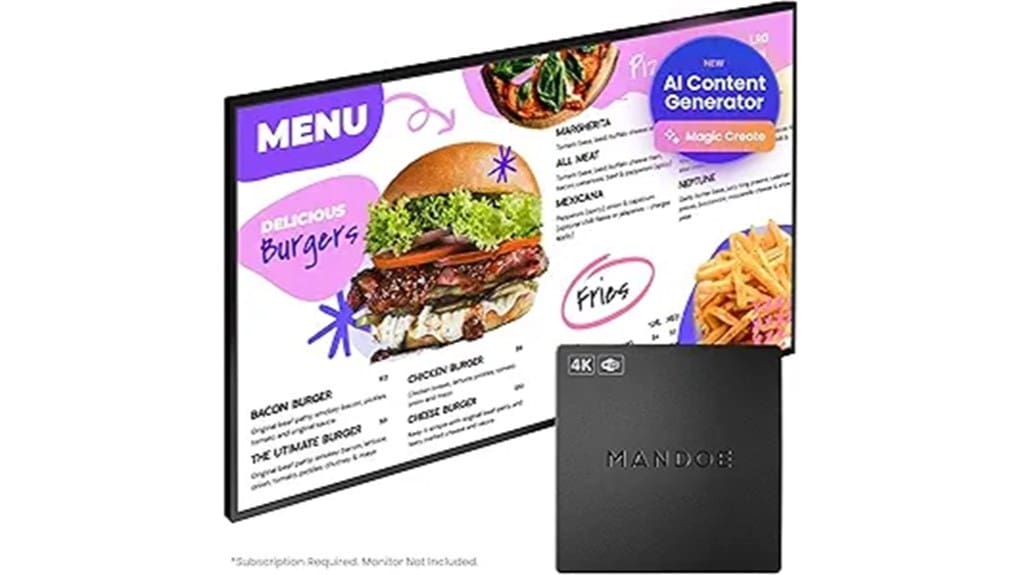

The Mandoe Digital Signage Player turns any HDMI TV into a cloud‑managed display you can set up in minutes and control from a central dashboard. You’ll get plug‑and‑play hardware, PoE options, and a guided wizard that starts looping scheduled content immediately. AI‑driven Magic Create and a Shutterstock library speed template design, while remote provisioning and analytics support multi‑location scaling. It’s ideal for fast deployment with recurring fees and cloud dependence — keep going to see full pros, cons, and pricing.
Some Key Takeaways
- Plug-and-play HDMI player with simple setup wizard and options for PoE or adapter power.
- AI-driven Magic Create and Shutterstock templates speed professional content creation without designers.
- Cloud dashboard enables centralized scheduling, bulk provisioning, remote monitoring, and firmware staging.
- Reliable playback with automated failover and analytics for impressions, play duration, and engagement trends.
- Best for small businesses needing rapid deployment and scalable management, but requires subscription and cloud reliance.
What the Mandoe Digital Signage Player Actually Does
While you focus on your business, the Mandoe Digital Signage Player turns any HDMI TV into a managed digital display, letting you run menus, promotions, or informational screens without a designer or IT help. You’ll deploy AI-driven templates and Magic Create to generate professional layouts quickly, reducing reliance on external designers. The cloud dashboard gives centralized scheduling and content automation, so updates propagate across locations instantly. Integrated media and branding tools let you tailor visuals for consistent guest engagement. You’ll monitor performance and iterate content strategically, scaling displays as needs evolve while maintaining operational simplicity and brand control. The platform is built for businesses that need easy-to-use, scalable programmable sign management.
Setup and Hardware: Unboxing to First Playback
Start by unboxing the Mandoe player and verifying contents: the player, power adapter, HDMI cable, quick-start guide, and any mounting hardware. You’ll note tidy packaging contents and clear labeling. Connect HDMI to any display, choose between included power adapter or PoE if available, and plug in. The setup wizard walks you through network pairing and account linking; it’s plug-and-play without IT. First playback proves automated resilience: scheduled content loads from the cloud and loops reliably. For innovators this workflow minimizes friction, offering straightforward hardware deployment and flexible power options for diverse installation scenarios. These rotating sign stand users will appreciate how the player complements eye-catching signage in busy environments.
Design Tools and Templates: Magic Create, Stock Media, and Customization
Because Mandoe combines Magic Create AI, a vast Shutterstock media library, and straightforward customization controls, you can produce polished signage fast without design experience. You’ll use Magic Create to generate AI generated layouts from simple prompts, then refine structure and copy. The integrated stock media gives high-quality imagery and short clips that match industry templates. Brand templates let you lock colors, fonts, and logos so designs stay consistent across screens. Controls are direct: swap assets, adjust timing, and preview variants. Overall, the workflow reduces iteration, speeds rollout, and supports innovative teams seeking efficient, repeatable visual systems. The platform also includes creative idea prompts and template categories tailored for automated displays to spark quick, effective content creation with eye-catching messages.
Performance, Remote Management, and Multi-Location Scaling
When you deploy Mandoe players across sites, the system delivers consistent playback performance and centralized control so updates propagate instantly and reliably to every screen. You’ll notice stable rendering and automated failover that minimize downtime, assuming decent network reliability and proper bandwidth allocation. The cloud dashboard scales as you add locations, letting you push schedules, templates, and emergency messages from one console. Remote management tools include bulk provisioning, device health monitoring, and firmware staging to reduce onsite visits. Built-in content analytics track impressions, play duration, and engagement trends, enabling data-driven decisions as your signage network expands. The platform also supports rotating message signs and accessories commonly used by businesses that display changing announcements.
Who Should Buy It : Pricing, Pros & Cons, and Final Recommendation
Who benefits most from Mandoe’s player? You will if you run small businesses seeking fast, polished digital signage with minimal setup. Pricing targets value: affordable hardware plus subscription tiers for cloud management and premium templates—appealing to budget shoppers who still want quality. Pros: plug-and-play setup, AI-driven design, scalable multi-screen management, integrated media library. Cons: subscription adds recurring cost, advanced customization may be limited for power users, reliance on cloud connectivity. Final recommendation: adopt Mandoe if you prioritize rapid deployment, streamlined content creation, and growth-ready management; skip it only if you need deep on-device customization or zero ongoing fees. This option is especially useful for organizations that need clear, branded conference room signs to communicate quickly and professionally.
Some Questions Answered
Does Mandoe Support Touch-Screen Interactivity or Customer Ordering?
No — you won’t get native touch interactivity or full customer ordering from Mandoe’s player. It focuses on push-style displays and cloud-managed content, not interactive POS. You can use kiosk mode-like layouts for walk-up information or guided menus, but real transactional ordering requires third-party integration or separate hardware/software. If you need true touch ordering, plan for an additional interactive kiosk platform or integrated POS solution alongside Mandoe.
Can I Integrate Third-Party Apps or Data Feeds (Pos, Weather, Social)?
Yes — you can integrate third-party apps and live data feeds. You’ll use API integrations to pull POS, weather, and social streams into layouts, and the cloud dashboard schedules and maps those feeds to screens. You’ll appreciate that Data security is handled via encrypted transport and access controls so sensitive POS data stays protected. This lets you automate real-time menu/pricing updates, promotions, and social displays across locations without custom development.
What Warranty and Hardware Replacement Options Are Included?
You get a limited warranty that covers manufacturing defects for a defined period, and they’ll repair or replace faulty units. If a device fails under warranty, you’ll have access to on site replacement options in many regions to minimize downtime. You’ll be told the warranty length, exclusions, and claim process upfront. This approach keeps deployments scalable and predictable, letting you focus on content and expansion.
Is Offline Playback Automatic if the Internet Connection Drops?
Yes — offline playback is automatic: the player uses offline caching to store scheduled assets so playback continuity keeps running if the internet drops. You’ll get automated fallback to cached playlists and media, preserving scheduled content and timing. When connectivity returns, the player synchronizes updates and logs. This minimizes downtime and supports scalable, distributed deployments without manual intervention, making it reliable for forward-thinking businesses.
Are There Accessibility Features for Visually Impaired Viewers?
Yes — you’ll find accessibility options aimed at visually impaired viewers. You can enable voice prompts for key actions and scheduled announcements, and switch templates to high contrast modes for better legibility. The cloud dashboard lets you set these features across screens and schedules, and AI templates are designed to remain readable when adjusted. You’ll manage accessibility centrally, scale it across locations, and test playback to guarantee consistent on-screen and audio accessibility.