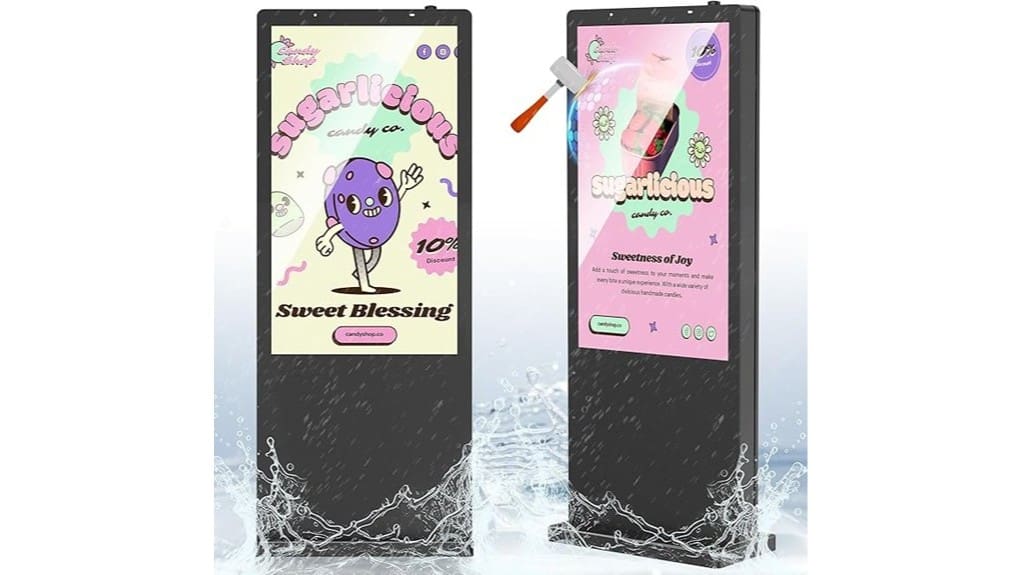
You’ll get a 55″ outdoor kiosk that stays readable in direct sun with a 3,000‑nit IPS 4K panel, anti‑glare 6mm tempered glass, and fast auto‑dimming for stable contrast. It’s built to IP65 with hot‑dip galvanized steel for corrosion resistance and sealed cooling for continuous operation. Installation needs concrete anchors, conduit routing, and service access; plan spares and routine seal checks. Cloud CMS, redundant Wi‑Fi, and remote diagnostics simplify ops — keep going to see specs, costs, and maintenance steps.
Some Key Takeaways
- Verify 3,000‑nit IPS 4K peak brightness and anti‑glare tempered glass for readable, color‑accurate performance in direct sunlight.
- Confirm IP65 sealing, galvanized steel enclosure, and tempered glass for weather, corrosion, and impact resistance.
- Check mounting/site requirements: foundation, anchor torque, drainage, and lockable service access for safe long‑term installation.
- Evaluate connectivity and CMS features: Wi‑Fi/USB/HDMI, cloud management, remote diagnostics, and VLAN security for reliable content delivery.
- Assess maintenance plan and total cost: spare parts, scheduled seals/cleaning, energy modeling, warranty, and SLA for realistic ROI.
How the 55 Outdoor Digital Signage Performs in Bright Sunlight
Because the panel combines a 3,000-nit peak brightness with an IPS 4K screen and anti-glare tempered glass, the 55-inch outdoor kiosk stays readable in direct sunlight without washed-out colors or detail loss. You’ll leverage high glare readability through aggressive peak boost and an IPS wide viewing cone that preserves contrast across angles. Auto-dimming reacts every 30 ms to ambient changes, minimizing perceived flicker while limiting thermal load. Expect minimal color accuracy shifts thanks to calibrated driving algorithms and anti-reflective coating, though extreme angles or reflective contaminants can introduce minor gamut variance you’ll monitor with routine profiling. These durable displays are well-suited for long-term outdoor messaging thanks to their waterproof sign letters compatibility and weather-resistant construction.
Durability and Weatherproofing: IP65, Galvanized Steel, and Tempered Glass
While deployed outdoors, this 55″ kiosk combines IP65 sealing, a hot-dip galvanized steel enclosure, and 6mm tempered anti-glare glass to withstand corrosion, impact, and ingress from dust and water. You’ll get engineered corrosion resistance via galvanization that blocks chemical, UV, and humidity degradation, extending service life in harsh environments. IP65-rated seals protect electronics from dust and low-pressure water jets while maintaining sealed cooling performance. The tempered glass delivers high impact resistance and anti-glare clarity without compromising touch or visibility. Together, these features give you a rugged, future-proof platform for continuous outdoor digital signage operation. These rugged enclosures also pair well with weatherproof letter kits to create cohesive, long-lasting outdoor signage systems.
Installation, Mounting, and Maintenance Requirements
For a reliable deployment, plan your site, foundations, and service access before you order the kiosk. You’ll assess soil, frost depth, and drainage for a galvanized mounting base or burial installation, specifying anchor torque and concrete cure time. Define clear service access panels and lockable fasteners for routine inspection. Route power and grounding with labeled conduits; design cable management to separate power, network, and lightning-protection lines. Implement scheduled checks for seals, thermal vents, and anti-condensation systems. Keep spare gasket kits, surge protectors, and tempered-glass cleaning tools on hand to minimize downtime and preserve peak brightness performance. Also consider using wind-resistant bases to keep outdoor signs standing in gusty conditions.
Connectivity, Content Management, and Remote Control Options
When you deploy the 55″ outdoor kiosk, plan your connectivity and control topology around its Wi‑Fi, HDMI and USB inputs and the cloud-based remote management to guarantee uninterrupted content delivery and rapid fault response. You’ll configure redundant Wi‑Fi and segregated VLANs to enforce wireless security, and use HDMI for high-bandwidth external players or USB for on-site fallback. Cloud-based CMS supports app integrations and mobile app control for staged rollouts, scheduled playlists, and remote diagnostics. You’ll monitor performance metrics, push firmware, and isolate faults remotely, reducing site visits while keeping content fresh, secure, and auditable. Consider adding backlit letter boards for high-visibility messaging at pedestrian level to complement the kiosk.
Total Cost of Ownership: Power, Warranty, and ROI Considerations
Although the upfront purchase is important, you’ll get the clearest picture of lifetime cost by modeling energy consumption, warranty coverage, and expected uptime together. You should quantify average watts at 3,000-nit peak and night mode, then project monthly kWh and local rates. Factor warranty length, service SLAs, likely replacement parts, and potential downtime into operation loss models. Include insurance premiums for outdoor exposure and a realistic depreciation schedule to amortize capital expense. Combine these into ROI scenarios: baseline, failure-event, and optimized with preventive maintenance. That gives decisive metrics for procurement and site-selection decisions. Consider adding protective sign cases to reduce weather-related damage and lower long-term maintenance costs for outdoor exposure.
Some Questions Answered
Does It Support Touchscreen Interactivity or Touch Overlays?
No — it doesn’t include a built-in touchscreen, but you can add overlays. You’ll choose projected capacitive for multi-touch, durability, and glove-friendly operation, or resistive overlays for cost-sensitive single-touch use. Integration requires compatible controller, bezel mounting, and calibration; guarantee IP65-rated overlay sealing and thermal tolerance to match the panel. You’ll also confirm HDMI/USB input mapping and power/cable routing before purchasing an overlay solution.
Can It Display Vertical (Portrait) Content Natively?
Yes — you can display portrait orientation natively. You’ll rotate the hardware to portrait or enable hardware rotation in settings, and the system handles vertical content with native scaling to 3840×2160 tall mode. Your media player or cloud CMS will accept vertical assets, HDMI/USB inputs pass through correctly, and auto-dimming and thermal controls remain active. You’ll want to verify CMS export settings to preserve aspect ratio and pixel-perfect rendering.
Are Replacement Parts (Panel, Glass) Readily Available?
Yes — replacement panel and glass are generally obtainable. You’ll want spare inventory and vetted sourcing channels (OEM and authorized distributors) to guarantee manufacturer compatibility. Check warranty coverage first; warranties often dictate authorized-part sourcing and may cover defects. For rapid recovery, maintain a parts pool and vendor SLAs, confirm IP65-sealed component replacements, and document assemble/disassemble procedures so you can innovate repair workflows without compromising thermal or ingress protections.
Is There an Ada-Compliant Height or Accessibility Option?
Yes — you can configure an ADA height option and add Braille labels for accessibility. You’ll position the screen and interactive controls within ADA reach ranges (typically 48 inches max forward reach) and specify mounting or burial depth so the active area meets standards. Order customized mounting hardware and tactile Braille overlays during purchase. You’ll also document compliance in site plans and validate reach, contrast, and operability during installation and testing.
What Anti-Theft or Vandal-Resistance Features Are Included?
You get robust vandal resistance: tamper proof screws secure access panels, a reinforced enclosure with corrosion-proof steel and anti-impact glass, and tamper alarms that notify you on breach or forced entry. Internal components sit in an IP65-sealed, reinforced enclosure with intelligent thermal and circuit protection. Secure mounting options (ground or burial) lock the unit down, so you’ll deploy an innovative, resilient display that resists theft and malicious damage.


