
You’ll get a durable 40″×8″ seven‑color P10 scrolling LED sign that’s bright, energy‑efficient, and easy to update via USB, PC or Wi‑Fi. It delivers steady daytime visibility and an attention‑grabbing flashing night mode, with smooth scrolls and low continuous power draw. Installation needs basic mounts and power, and weather protection’s advised for exposed sites. It’s a solid storefront choice if you want reliable, readable messaging over ultra‑high resolution — keep going to see setup tips and tradeoffs.
Some Key Takeaways
- Bright, durable 40″×8″ P10 sign with seven-color SMD LEDs offers strong daytime visibility and consistent color fidelity.
- Two modes: energy-saving steady mode for daytime readability and flashing mode for higher nighttime impact.
- Content updates via USB, PC software (serial/data cable), or Wi‑Fi for flexible on-site or remote control.
- Low power draw, high-frequency hardware, and good thermal management support 24/7 operation.
- Best for storefront messaging and small businesses needing visible, efficient ads rather than billboard-grade fidelity.
What the P10 Programmable Scrolling LED Sign Offers: Key Specs and Feature Snapshot
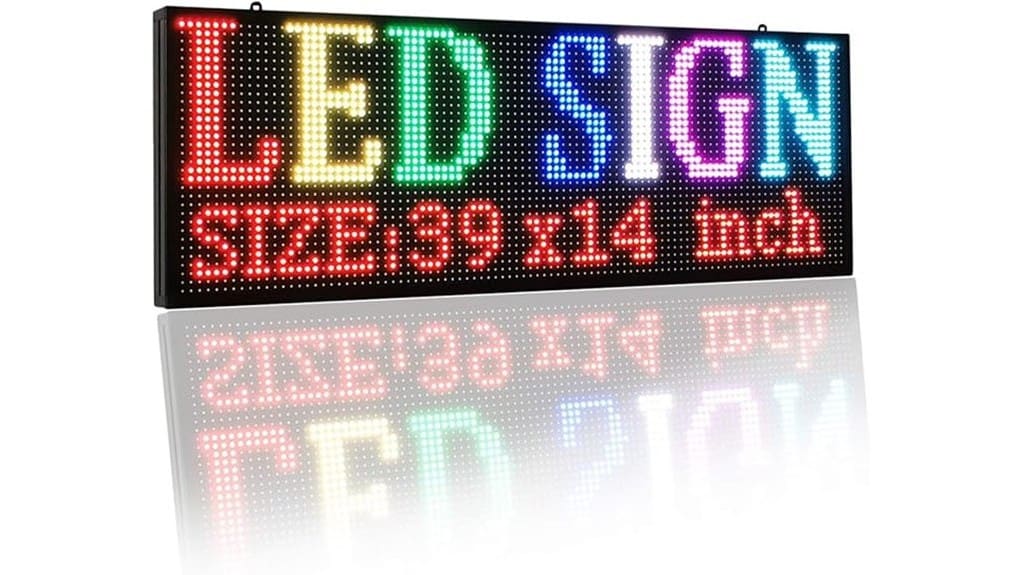
Get straight to the point: the P10 programmable scrolling LED sign packs a 40″ x 8″ full-color display (39.4″ x 7.5″ actual) with seven-color SMD LEDs and a 96 x 96-pixel plane that balances visibility and energy efficiency for outdoor commercial use. You’ll appreciate two lighting modes—steady for daytime savings, flashing for nighttime impact—and lightweight, high-frequency hardware that supports 24/7 operation without excess draw. Check the weatherproof rating for exposed placements and plan mounting accessories to suit storefronts or poles. The interface options are flexible, the pixel density sharp enough for readable text, and durability feels engineered for commercial uptime. Perfect for businesses that want to brighten your message with backlit letter boards and LED displays.
How Installation and Content Control Work: USB, PC, and Wi‑Fi Setup Steps
Setting up the P10 sign is straightforward: you can load content via USB, connect a PC over a data line, or pair it with Wi‑Fi for remote updates, and each method requires a few precise steps to guarantee reliable playback. You’ll mount and power the unit, format a U disk to FAT32, and follow the USB workflow: copy compiled frames and a simple config file, insert the drive, and trigger playback. For PC control use the vendor software and serial/data cable to push playlists. For Wi‑Fi, enable AP mode, enter credentials, and expect occasional Wi‑Fi troubleshooting like signal or firewall adjustments. For best results, design eye-catching messages that take advantage of the sign’s programmable capabilities.
Real-World Performance: Brightness, Color, Scrolling Smoothness, and Energy Use
Once you’ve got the sign mounted and content flowing via USB, PC, or Wi‑Fi, the next question is how it actually performs in daily use—brightness, color accuracy, scrolling smoothness, and power draw. You’ll notice strong daytime brightness with seven-color fidelity that stays consistent across viewing angles; ambient durability is evident under direct sunlight. Scrolling is smooth at varied speeds, thanks to high-frequency SMD LEDs and precise timing control. Power draw stays low for continuous operation, with steady mode optimizing energy use. Thermal management keeps temperatures stable under prolonged use, preserving color and preventing brightness drift. These features make the signs ideal for illuminated message applications in storefronts and events.
Use Cases and Display Modes That Work Best: Daytime Steady vs. Flashing Night Modes
Choosing between daytime steady mode and nighttime flashing comes down to visibility goals and energy priorities: use steady mode for daytime storefronts and long-run messages where consistent brightness, lower power draw, and minimal distraction matter, and switch to flashing mode at night when you want to maximize attention with dynamic color changes and higher apparent contrast. You’ll favor steady for daytime readability, preserving color fidelity and reducing motion sensitivity for viewers scanning aisles. At night, flashing maximizes nighttime attention grab by exploiting ambient contrast and motion cues. Configure schedules, tune flash frequency, and test messages to balance impact, energy use, and viewer comfort. Protect signs and extend lifespan with weather shields to guard against elements like rain and sun exposure, improving long-term visibility and durability of your display weather shields.
Is It Worth Buying? Pricing, Alternatives, and Who Should (Or Shouldn’t) Choose the P10?
Although the P10 excels as a bright, lightweight outdoor message board, whether it’s worth buying depends on your budget, technical needs, and installation plans. You’ll like its seven-color SMD LEDs, dual control (Wi‑Fi/computer or U disk), and low-energy 24/7 capability if you need durable storefront messaging. Consider pricing tiers: basic single-unit packs suit small businesses; bulk or commercial kits lower per-unit cost. In buyer comparisons, it beats generic panels on resolution and reliability but isn’t ideal if you want ultra-high pixel density or integrated CMS. Choose the P10 for visible, efficient ads; skip it if you demand billboard-grade fidelity. Our store focuses on LED letter lights and related signage products to help you brighten your message.
Some Questions Answered
Does the Sign Include a Warranty and What Does It Cover?
Yes — you get a warranty; the warranty duration is typically 1 year, and it covers manufacturing defects and faulty LEDs or power components. You’ll see coverage details that include repair or replacement of defective boards, LED modules, and control hardware, but not damage from misuse, weather beyond specs, or improper installation. You should confirm exact terms with the seller for extended options and service response times.
Can the P10 Withstand Extreme Weather (Rain, Snow, Salt Air)?
Yes — you can rely on the P10 for harsh conditions if it’s specified with an IP67 rating and corrosion resistance. You’ll get full dust protection, temporary water immersion resilience, and shielding against salt-air corrosion when properly coated and sealed. Still, you should confirm factory sealing, gasket quality, and connector plating for long-term coastal use. Regular inspections and maintenance will maximize lifespan and preserve reliable outdoor performance.
Are There Mounting Accessories or Security Locks Included?
Yes — the package typically includes basic mounting brackets and wall anchors, but you’ll want to confirm kit contents before buying. You’ll also get security screws for tamper resistance, though high-security locks aren’t standard. If you need stronger protection or custom mounting, plan for aftermarket heavy-duty anchors, tamper-proof security screws, or a lockbox. You’ll save installation time and boost theft resistance by specifying upgraded accessories up front.
What Is the Expected Lifespan of the LEDS and Replaceability?
You can expect LED longevity around 50,000–100,000 hours under normal use; that means years of continuous operation before noticeable dimming. If individual pixels fail, the Replace process is modular: you’ll remove the weatherproof panel, swap affected LED modules or strips, then reseal and reboot. You’ll appreciate the repairability and low energy draw—this design keeps downtime minimal and supports iterative upgrades as display tech advances.
Does It Support Multilingual Character Sets and Emojis?
Yes—you get Unicode support and basic Emoji compatibility. You’ll be able to display multilingual character sets via the controller software or by uploading Unicode-encoded files, so accented characters and non-Latin scripts render correctly within the panel’s pixel grid. Emoji compatibility is limited by resolution and color palette; simple emojis work, complex ones lose detail. Test your messages on the display to optimize legibility and visual impact.