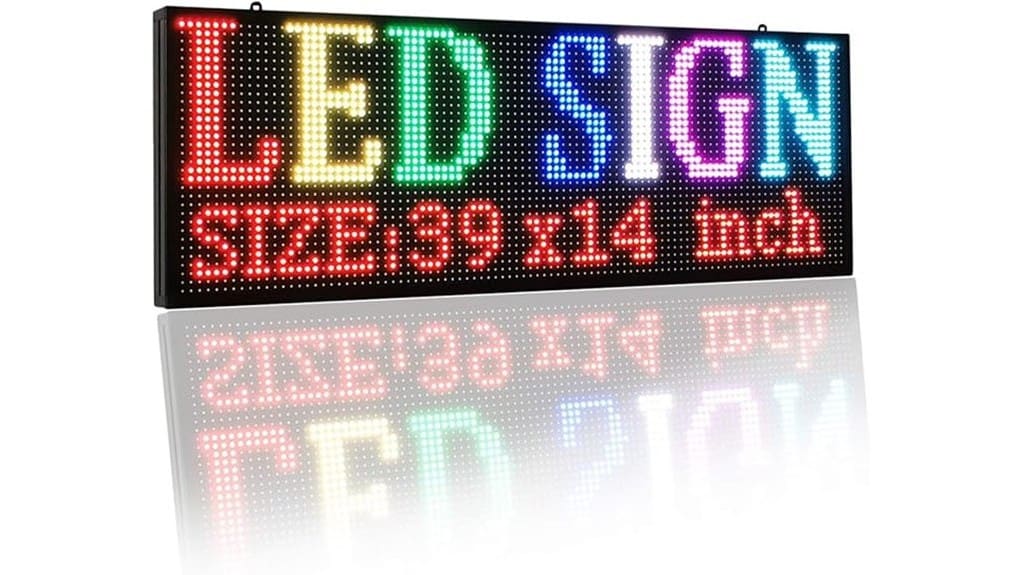
You’ll get a compact, app-driven P2.5 full‑color LED sign that’s built for short‑range indoor messaging in cars, shops, or counters. It offers crisp 2.5 mm pixel pitch, full RGB color, GIF support, and dual power options (5V/3A or 12V cigar). Setup via local Wi‑Fi and the Leadleds app is straightforward but fiddly at times. Brightness and thermal behavior suit storefronts, though Wi‑Fi range and GIF stutter limit complex campaigns — keep going to see detailed pros, cons, and tips.
Some Key Takeaways
- Compact 19″×6.4″ P2.5 LED board offers crisp indoor 2.5 mm pixel density ideal for car windows and counter displays.
- Full RGB color and GIF support enable animated messages, though complex GIFs may occasionally stutter.
- App-driven setup via local Wi‑Fi is simple but can be finicky; reconnect or restart if pairing fails.
- Dual power options (5V/3A adapter or 12V cigarette lighter) make vehicle and storefront use convenient.
- Best for short-range indoor visibility (~30 ft Wi‑Fi); not suitable for outdoor durability or long-range campaigns.
What the P2.5 Full Color LED Sign Is and Who It’s For
While the P2.5 Full Color LED Sign looks like a compact accessory, it’s a programmable, full-RGB scrolling billboard designed for short-range indoor messaging in cars, shops, counters, and small public spaces. You’ll find it suits operators who need concise, dynamic displays: drivers wanting vehicle branding without bulk, retailers testing promos, or hosts signaling service. You’ll appreciate app-driven control and multi-language support, though indoor-only design limits placement. Critically, storage and Wi‑Fi range constrain complex campaigns; animations work but aren’t high-resolution at close inspection. Overall, it targets innovators seeking portable, visible messaging with pragmatic trade-offs. The unit pairs especially well with outdoor sign letters concepts for coordinating vehicle and storefront messaging.
Quick Specs and Standout Features That Matter in Real Use
Because you’ll use this sign in tight, visible spaces, the P2.5’s core specs — 2.5 mm pixel pitch, 19″ x 6.4″ visible area, full RGB color, and up to four lines of text stored in 4 MB memory — directly affect readability and creative limits. You’ll appreciate the high pixel density for clear small-font legibility and GIF capability for motion. Note weight, slim profile, and 13 ft cord when planning placement. Critically assess energy consumption versus runtime: 5V/3A adapter or 12V cigar power alters draw. Practical installation tips: clean flat surface, firm suction placement, and test viewing angles before final mount. Brighten your message and enhance visibility with backlit displays backlit letter boards that suit tight spaces and bold text.
Setting Up and Customizing Messages: A 5-Minute Walkthrough
If you’ve got the sign in hand and a clear mounting spot, you can complete setup and send your first custom message in about five minutes by following the app-driven steps: power the unit with the included 5V/3A adapter or 12V cigarette lighter, connect your phone to the sign’s local Wi‑Fi network, open the Leadleds app to pair, then create or import text, images, or GIFs and push them to the display. You’ll notice the app is functional but occasionally finicky; app troubleshooting tips help (restart, reconnect). Use templates, set durations, and test schedule syncing for timed displays; refine pixel-level details before deploying. Products for programmable sign systems often include mounting hardware and power options to simplify installation and use, which can be helpful for new users who need quick setup and reliable components like mounting hardware.
Performance Test: Brightness, Color, Animations, Battery/Power, and Wi‑Fi Range
Although compact, the P2.5 Full Color LED sign packs performance characteristics you’ll want to verify before regular use: measured brightness, color fidelity, animation smoothness, power behavior, and effective Wi‑Fi range all determine whether it meets real-world needs. You’ll measure peak brightness suitable for indoor storefronts; color fidelity is good but slightly warm at high intensity. Animations run smoothly with low latency and responsive frame updates; screen responsiveness is acceptable for scrolling text though complex GIFs reveal occasional stutter. Thermal performance stays within safe limits during extended runs. Power via 5V/3A or 12V works reliably; Wi‑Fi range tops ~30 ft. These features make it a solid choice for businesses seeking bright letter signs that make messages stand out.
Buy or Skip? Pros, Cons, and Who Should Choose This Sign
When weighing whether to buy the P2.5 Full Color LED Sign, consider its clear strengths—crisp 2.5 mm pixel pitch, full RGB color, easy app-based programming, and dual power options—against real limitations like indoor-only use, a ~30 ft Wi‑Fi range, and occasional GIF stutter under complex animations. You should buy if you need a compact, portable display for taxi, shop window, or counter use and value quick setup, multi-language support, and energy savings. Skip if you require outdoor durability, long-range connectivity, or flawless animation. Consider pricing strategies, compare warranties, and follow maintenance tips to extend lifespan. This sign is especially useful for businesses that rely on outdoor visibility letters to make messages stand out in crowded environments.
Some Questions Answered
Does the Sign Work With Third‑Party Smart Home Systems (Alexa/Google)?
No — it won’t natively integrate with Alexa or Google Assistant. You’ll get local Smart integration via the sign’s Wi‑Fi and app for direct control, but there’s no built‑in Voice control support or cloud API for third‑party smart home hubs. You could hack a workaround using a smartphone automation or a network bridge, yet that’s unofficial and fragile. If native voice automation matters, this product falls short of modern smart home expectations.
Can Multiple Signs Be Synced to Show the Same Message?
Yes — you can sync multiple signs to show the same message. You’ll use the app’s Network sync and Group pairing features to link displays over the local Wi‑Fi; once paired you push a message to the group and all signs update simultaneously. It’s efficient, but expect slight latency and dependence on stable local connections. For innovation-minded users, this enables coordinated campaigns, though robust testing is wise for mission‑critical timing.
Is There a Companion Desktop App for Advanced Editing?
Yes — there’s companion software for desktop use that supports advanced editing beyond the mobile app. You’ll get more precise timeline control, frame-by-frame GIF editing, and bulk asset management, but it’s basic compared with professional sign suites. The desktop tool improves workflow for creative experimentation, though it lacks some high-end effects and batch automation you’d expect. If you want innovation, it’s useful but still somewhat limited for power users.
Are Replacement Suction Cups or Mounting Accessories Sold Separately?
Yes — you can buy replacement suctioncups and other mounting accessories separately, though availability varies by seller. You’ll want to confirm fit (19″ frame) and material quality — cheap suctioncups lose grip quickly. For better durability, choose reinforced mounts or adhesive brackets from third‑party suppliers. Verify return policy and compatibility before buying, and expect to pay more for industry‑grade mounts that improve stability and reduce vibration during mobile use.
Can the Sign Display Unicode Emojis and Right‑To‑Left Languages?
Yes — it supports emoji support and handles rtl languages, but with limits. You can upload many Unicode emojis and right‑to‑left scripts via the app, yet complex emoji sequences, skin tones or rare glyphs may render as blocks or separate glyphs. RTL languages work if you enable direction in the editor, though text-wrapping and mixed LTR/RTL lines can misalign. Test your specific Unicode content before deployment for best results.