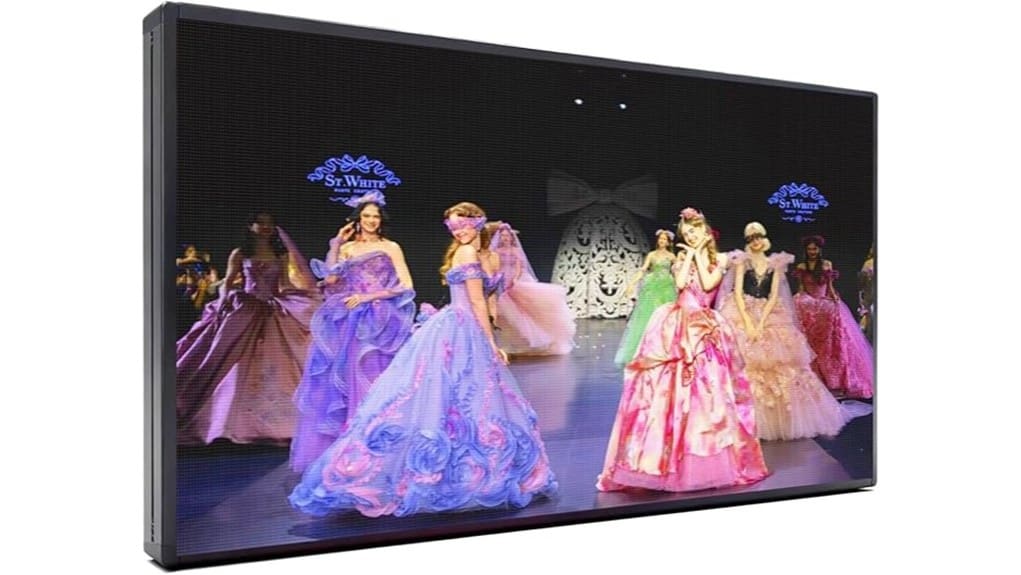
You’ll get a compact 65″x34″ P5 LED that delivers razor-sharp text, tight logos, and smooth video at medium viewing distances, outperforming P6/P8 options on clarity and brightness. The aluminum chassis and IP45-rated front boost durability and outdoor visibility, while WiFi or USB control with the YWD app makes updates flexible. Plan for quarterly maintenance and include install costs in your ROI. Keep going and you’ll find setup tips, weatherproof notes, and buy-or-skip guidance.
Some Key Takeaways
- Compact 65″x34″ P5 LED delivers sharp text, detailed logos, and smooth video ideal for storefront branding.
- High brightness and P5 pixel density improve outdoor visibility compared with larger-pitch alternatives.
- Aluminum, IP45-rated front and rigid frame provide durable, weather-resistant construction and reduced vibration wear.
- WiFi and USB control via YWD app enable real-time updates or offline scheduling; test signal strength before deployment.
- Two-year warranty, 24/7 support, and recommended quarterly maintenance make long-term operation reliable.
Quick Verdict and Who This 65″x34″ P5 LED Sign Is Best For
While it’s compact enough for a single storefront, the 65″x34″ P5 LED sign delivers P5-class resolution and high-brightness output that make it better suited for businesses needing sharp text, detailed logos, and smooth video at medium viewing distances. You’ll get high visibility marketing from a durable, weather-resistant aluminum panel that outperforms lower-pitch alternatives at comparable distances. If you prioritize crisp branding and dynamic content, this unit beats generic displays. Consider installation logistics: wall-mount strength, power access, and WiFi placement matter. It’s ideal for restaurants, retail chains, and venues that demand premium visual impact without oversized footprint. For added longevity in outdoor installations, pair the sign with UV-resistant letter sets to maintain clear messaging and color fidelity.
What the P5 65″x34″ Display Actually Looks and Performs Like
Having covered who benefits most from this unit, let’s look at what the P5 65″x34″ actually delivers visually and operationally. You’ll see razor-sharp text and vivid color depth at typical viewing distances; high resolution closeups reveal precise pixel geometry and minimal blooming. Compared to larger-pitch boards, contrast and logo fidelity improve noticeably. Video playback stays smooth at standard frame rates; brightness holds up outdoors without aggressive washout. Live demo footage confirms low latency shifts and consistent uniformity across the aluminum panel. Overall, the ywd-P5 balances detail, outdoor visibility, and responsive performance for demanding commercial signage applications. This makes it a strong option for businesses needing distance-readable letters on their storefronts.
How to Set Up and Control the Sign (WiFi, USB, Software Tips)
Getting the ywd-P5 online and under control is straightforward: you’ll choose between WiFi for real-time updates or USB for offline programming, each offering specific trade-offs in convenience, latency, and security. You’ll install YWD’s controller app, assign the panel an IP or copy files to the included USB flash drive. For WiFi, test signal strength, lock MACs, and follow WiFi troubleshooting steps if packet loss or pairing fails. For USB, maintain a versioned file structure and USB backups for rollback. Use the scheduler and presets in software to optimize bandwidth, minimize latency, and automate dynamic content deployment. You can also use the built-in design templates and presets to create eye-catching messages quickly and maintain consistent branding.
Weatherproofing, Build Quality, Warranty, and Long-Term Support
Because the ywd-P5 uses an aluminum chassis and an IP45-rated front, you can expect solid everyday protection against dust and water splashes, but not full immersion or heavy-pressure washdowns. You’ll appreciate the rigid frame and thin profile versus cheaper plastic units; seams and mounting points feel machined, reducing vibrational wear. Follow a quarterly maintenance schedule, check seals, and heed installation tips to avoid flange corrosion. Warranty is two years, backed by 24/7 lifetime technical support—compare that favorably to single-year offers. Customer reviews praise responsiveness; source replacement parts through the vendor to make certain compatibility and longevity. Our store specializes in fade-resistant sign letters to keep your display readable for years.
Buy-or-Skip Checklist: Price, Alternatives, and Final Recommendation
You’ve seen the ywd-P5’s build and support strengths; now weigh those against price and alternatives to decide if it’s the right buy. Assess pricing strategy: bulk discounts, warranty-backed price, and ROI timeline. Compare competitors on pixel pitch, brightness, and control stack—competitor comparison should drive value-per-pixel judgments. Factor installation cost: mounting, power, and weatherproofing labor into upfront spend. Estimate resale value based on aluminum frame, P5 optics, and software portability. Recommendation: buy if you need high-resolution outdoor visibility and can absorb installation cost; skip if marginal budget or cheaper P6/P8 alternatives meet needs. Consider also the durability benefits of waterproof sign letters when evaluating long-term outdoor performance.
Some Questions Answered
Can I Mount the Sign Vertically Instead of Horizontally?
Yes — you can mount it vertically, but portrait orientation changes mounting points, viewing distance, and heat dispersion. You’ll need brackets rated for the sign’s aluminum frame and weight, and verify IP45-facing gaps aren’t obstructed. In portrait orientation, pixel pitch and content layout may require reconfiguration to avoid stretched graphics; use the provided software to adapt animations. Compare recommended mounting specs to make certain wind load and service access remain safe and efficient.
Does It Support Scheduling Different Playlists by Time of Day?
Yes — you can schedule different content; it supports daypart automation and timed playlists. You’ll program playlists via WiFi or USB, set start/stop times, and assign them to slots for automated switching. Compared to manual playback, this gives precise, repeatable rotation for peak/off-peak messaging. You’ll find step-by-step controls in the manual and video tutorials, enabling sophisticated, time-based campaigns that scale across locations with minimal ongoing intervention.
What Replacement Parts Are Available Locally?
You can source common replacement parts locally: power supply units and spare pixels/modules are usually stocked by LED suppliers. You’ll also find mounting brackets, control boxes, and connectors; compare specs (voltage, pixel pitch, IP rating) to match originals. Pick vendors offering OEM-compatible power supply ratings and warranty. If you want faster uptime, choose suppliers with same-day pickup and technical support; local electronics repair shops can handle pixel module swaps.
Can Multiple Signs Be Synchronized Together?
Yes — you can synchronize multiple signs together. You’ll use wireless synchronization or wired master‑slave configurations depending on range and latency needs. Wireless gives flexible placement and simpler scaling; master‑slave wired setups deliver deterministic timing and lower jitter for tightly‑aligned video. You’ll choose based on network reliability, installation complexity, and content-sync precision. Integrate controllers with the same firmware and test latency to guarantee seamless, synchronized animations across displays.
Is There Multilingual Text Support Built Into the Software?
Yes — you’ll get multilingual text support. The sign’s software handles character encoding (UTF-8) and offers robust font rendering for Latin, Cyrillic, and many CJK characters; you’ll compare it favorably to basic controllers. You can upload fonts or rely on built-in glyphs, and the system transcodes inputs to the LED matrix for accurate display. For niche scripts, test custom fonts to confirm kerning and stroke clarity meet your innovation needs.


