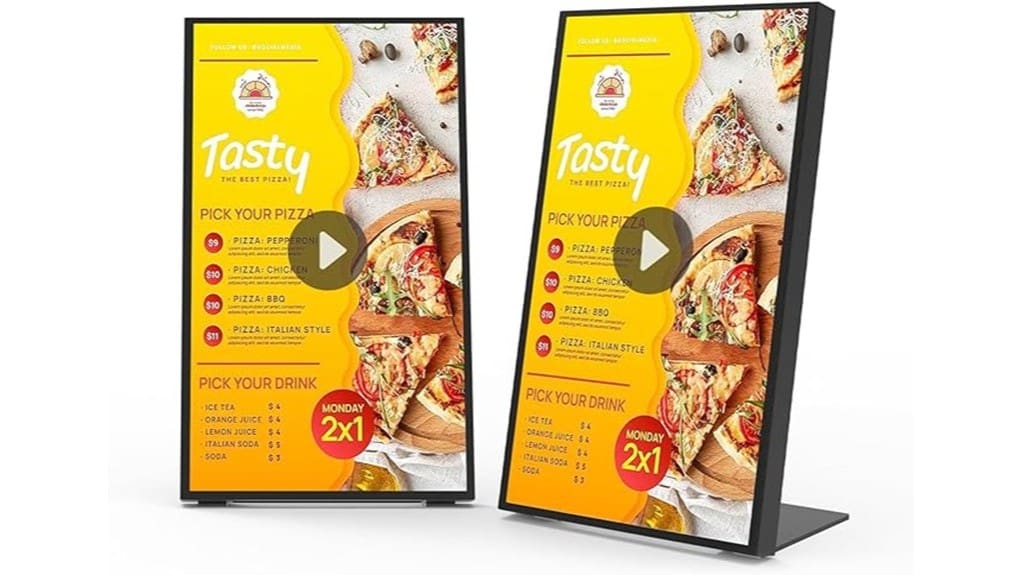

You’ll find the 18.5″ desktop digital menu board a compact, commercial-grade option that’s great for cafes and counters. It pairs a slim aluminum frame and tempered glass with a 1366×768 panel and up to 700 nits, giving crisp text and strong colors at close range. The built-in Android player supports 24/7 use, remote cloud management, timed playlists and USB fallback. Setup is quick and upkeep is minimal, and the rest of the review explains practical setup, features, and buying tips.
Some Key Takeaways
- Compact 18.5″ display (1366×768) provides crisp text and vibrant colors ideal for close-range menu reading.
- Slim aluminum frame, tempered glass, and 700 nits peak brightness ensure premium durability and visibility in bright environments.
- Built-in Android player and two USB ports support cloud-managed remote updates and offline USB playback.
- Supports 24/7 operation with stable thermal performance and wide viewing angles for consistent commercial use.
- Easy setup, granular scheduling, and user permissions make it suitable for single-location cafes and quick-service counters.
Quick Verdict and Who This 18.5 Digital Menu Board Is Best For
Often overlooked, this 18.5-inch Digital Menu Board (ACZ1-N185-NA1-500) delivers a compact, reliable signage solution that’s built for continuous retail and quick-service restaurant use. You’ll find affordable elegance in its slim aluminum frame and high-contrast display, giving premium presence without premium cost. Performance supports 24/7 operation and remote management, so you won’t worry about downtime. Ideal for single-location cafes, pop-ups, and counters needing dynamic menus or promotional loops, it’s also suited to businesses testing digital signage before scaling. Expect a quick setup and straightforward control; if you value durability and practicality, this is a smart, innovative pick. Our shop also offers accessories and expertise for backlit letter boards to brighten your message.
What’s Inside the Box and Key Specs You Need to Know
Although the box looks compact, it includes everything you need to get the 18.5-inch Digital Menu Board up and running: the ACZ1-N185-NA1-500 display itself (slim aluminum frame and tempered glass front), a power cable, a basic stand/mounting kit, two USB ports for media playback, and quick-start documentation with warranty details and ASIN reference. You’ll find tidy packaging materials and labeled accessories included; nothing unnecessary. Key specs: 18.5″ 16:9 1366×768, aluminum construction, tempered glass, 700/500 nits listing, two USBs, Android player, dimensions 7.1×9.8×16.8″, 13.2 lb. Quick start and registration info are clear. Protective sign cases help keep messages clear and extend display life with durable protection.
Real-World Performance: Brightness, Screen Quality, and 24/7 Reliability
When you put the ACZ1-N185-NA1-500 into everyday use, its screen proves capable and predictable: the 1366×768 panel delivers crisp text and punchy colors at close viewing distances, and the high-strength aluminum frame and tempered glass keep reflections and flex to a minimum. You’ll notice strong brightness consistency across the panel — useful under varied ambient light — with a peak spec rated up to 700 nits (some materials list 500 nits). The Android player sustains continuous operation without evident thermal throttling, and the wide viewing angle preserves contrast. Overall, it’s reliable, purposeful, and fit for round‑the‑clock commercial use. These durable builds pair well with weatherproof letter kits designed for lasting outdoor signs, extending message longevity in harsh conditions.
Features That Matter for Businesses: Remote Management, Scheduling, USB Playback
Having proven reliable in continuous operation and bright enough for busy storefronts, the ACZ1-N185-NA1-500’s management and playback features determine how smoothly it fits into your daily workflow. You get remote management across phone, tablet, and desktop so you can push Cloud updates and content changes instantly. Scheduling is granular — set timed playlists, automatic on/off, and split-screen layouts to optimize peak hours. USB playback provides a dependable offline fallback with two ports for looped media. User permissions let you control who edits templates or publishes changes, keeping operations secure while enabling fast, distributed content updates. Many customers choose rotating message sign accessories to extend visibility and versatility with complementary hardware such as banner mounts and rotating message attachments.
Setup, Maintenance, and Final Buying Recommendation (Who Should Buy It)
Because setup and upkeep determine how much time you’ll spend managing the display, it’s worth outlining the steps and expectations up front: unbox and mount the 18.5″ unit on a countertop or VESA arm, connect power and network (wired or Wi‑Fi), register the device with Canlarriz’s Android player, and push your first playlist via the web editor or a USB stick. Next, plan cable management and physical security; label cables and tuck power and Ethernet neatly. Schedule regular firmware updates and remote checks to make certain 24/7 uptime. Who should buy it: innovators needing compact, reliable point‑of‑sale signage with easy remote control. Consider pairing the display with a wind‑resistant base to keep your signage standing in breezy locations.
Some Questions Answered
Does It Support Portrait Orientation Mounting?
Yes — you can use portrait mode; the display supports vertical mounting and rotation. You’ll get consistent image quality thanks to its wide viewing angles and Android signage player that handles orientation changes. Remote management and scheduled playback adapt to vertical layouts, and the ultra-slim aluminum frame facilitates mounting. You’ll want to verify mounting hardware compatibility and follow the manufacturer’s installation guidelines to guarantee stable, 24/7 operation in a vertical setup.
Can Multiple Units Be Synchronized for Video Walls?
Yes — you can synchronize multiple units for video walls. You’ll get synchronized playback across displays using the Android signage player and remote management tools. Plan for bezel compensation to align content seamlessly; the ultra-slim bezel helps but you’ll still offset edges in software. You’ll evaluate layout, network reliability, and scheduling. For innovative installations, test a small array first, confirm sync stability, and scale once timing and bezel compensation meet your standards.
What File Formats Does the USB Player Accept?
The USB player accepts common image slideshows (JPEG, PNG, BMP), video files (MP4/H.264) and audio playlists (MP3/AAC), plus simple text/HTML. You’ll get loop playback and scheduled playback reliability. This supports split-screen layouts and synced units, so your visuals and sound stay coordinated. It’s a compact, future-ready setup that lets you innovate with dynamic menus, promotional loops, and background audio without complex encoding. Check file codecs for best performance.
Is There Built-In Support for POS System Integration?
No — it doesn’t include native POS connectors, but you can integrate via API compatibility if your POS supports webhooks or REST calls. You’ll evaluate security needs: the player’s Android platform can relay transactions, yet you’ll need to guarantee Transaction security through encrypted channels and proper authentication. For innovative deployments, plan middleware that handles data mapping, tokenization, and logging so your signage and POS exchange only minimal, protected payloads.
What Are the Power Consumption and Standby Watts?
You’ll expect typical active power around 20–30W and standby under 1W, though the exact specs aren’t listed. Evaluate device power profiles and use energy monitoring to confirm real-world figures during prolonged use and scheduled sleep. You’ll want to profile peak draw with video playback and idle draw with screen-off scheduling. For deployments, plan power budgets and verify via remote energy monitoring to optimize 24/7 operations and reduce operating cost.