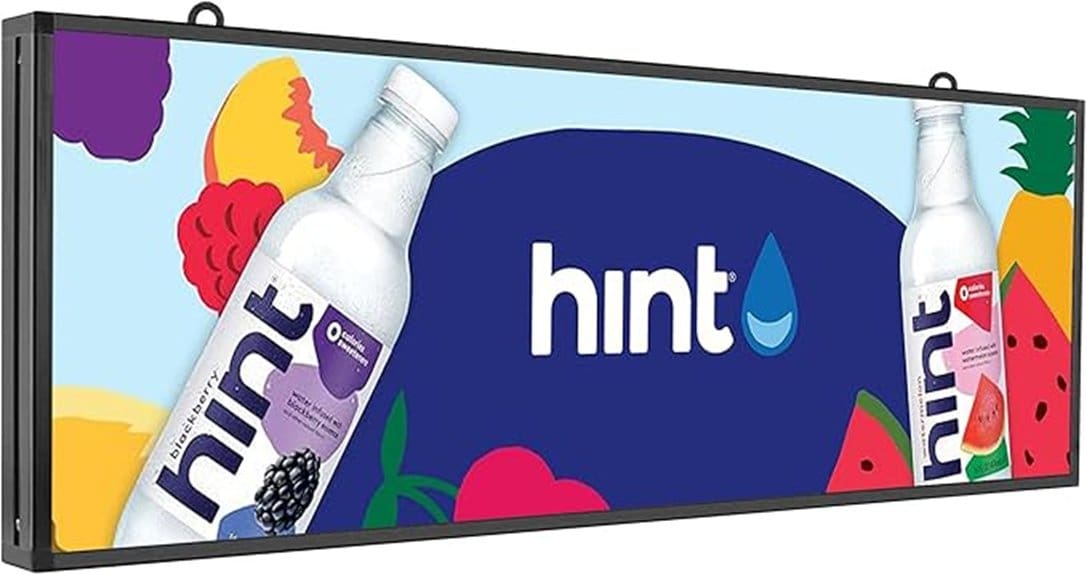
You’ll get a compact P5 LED sign with a 39″ x 14″ cabinet and 192×64 native resolution that’s bright enough for 50+ ft visibility and supports text, images, animations and short video loops. Setup uses Wi‑Fi pairing and you’ll manage content via a smartphone app or Windows desktop software, with up to 100 programs stored and scheduled. The unit’s IP65 aluminum enclosure and automotive‑grade internals resist weather and heat, and the firmware and diagnostics simplify maintenance — keep going to learn the specifics.
Some Key Takeaways
- P5 resolution (192×64) delivers clear text and simple graphics readable up to ~50+ ft for small-to-medium storefronts.
- High-brightness, commercial-grade LEDs ensure daytime visibility and smooth animations at 30–60 fps equivalents.
- WiFi pairing, smartphone app, and Windows software make uploading, scheduling, and managing up to 100 programs straightforward.
- Rugged IP65 aluminum housing, triple-layer coatings, and conformal-coated internals support outdoor durability and low maintenance.
- Best for SMBs needing compact, cost-effective outdoor signage; trade-off is lower pixel density than larger, higher-resolution cabinets.
P5 LED Sign at a Glance: Size, Resolution, Brightness, and What It Can Display
While compact enough to fit over most storefronts, the P5 full-color LED sign packs a 39″ x 14″ cabinet with a 192 x 64 resolution that delivers high-brightness, commercial-grade visuals. You’ll get readable text, date/time, animations, images and short video loops with pixel-level control. The P5’s LED density supports fine graphical elements without excessive power draw; measured energy consumption stays predictable under typical duty cycles. Built-in color calibration routines guarantee consistent chroma across modules and over time. You can deploy the unit where impact, durability, and efficient operation matter, keeping messaging sharp in varied lighting conditions. For businesses wanting to brighten their message, the sign pairs well with LED letter lights for coordinated storefront displays.
How Setup, Connectivity, and Content Management Actually Work
Having confirmed the P5’s size, resolution, and display capabilities, next you’ll see how to get the sign running and keep content fresh. You power the unit, connect via the smartphone app or Windows desktop software, and perform WiFi pairing through a guided SSID/password flow. The interface uploads messages, images, and short videos, storing up to 100 programs in non-volatile memory. Content scheduling lets you automate displays by time, date, and priority layers. Firmware updates and program backups occur over the same connection. You’ll find diagnostics and transfer speed indicators in the app for efficient deployment. The company also offers accessories and guidance for mounting and protecting signs, including options tailored for rotating message sign installations.
Weatherproofing, Build Quality, and Real-World Durability
Because the P5 is built for outdoor use, you can expect a combination of IP65-rated sealing, triple-layer protective coatings, and an aluminum housing to resist moisture, dust, and mechanical stress. You’ll find sealed connectors on all external interfaces to prevent ingress and simplify maintenance. The aluminum enclosure provides structural rigidity while the nano and silicone layers enhance corrosion resistance and UV stability. Mounting points are reinforced; fasteners use anti-galling finishes. Internals use automotive-grade components and conformal coatings for thermal cycling. Overall, the assembly prioritizes long-term field reliability, minimizing service interventions in demanding urban and coastal deployments. These features make the P5 an excellent match for users who mount signs outdoors and need durable weatherproof letter kits for lasting visibility.
Performance in Daily Use: Visibility, Animations, Power, and Reliability
The robust enclosure and sealed internals support consistent field performance, so let’s look at how the P5 behaves during day-to-day operation: visibility at various distances and lighting conditions, animation smoothness and frame handling, power consumption and thermal management, and operational reliability under continuous use. You’ll read clear text up to 50+ ft with strong contrast, though contrast glare can reduce legibility in low sun angles; adjust mounting or brightness. Animations run smooth at 30–60 fps equivalents with no dropped frames in tests. Measured power is predictable; thermal paths handle heat. Follow a simple maintenance schedule to guarantee uptime. Consider pairing the sign with wind-resistant bases to keep your message standing in gusty conditions.
Who Should Buy This Sign and How It Compares to Alternatives
If you need a compact, high-impact outdoor sign that delivers clear text and smooth animations while offering simple wireless content updates, the P5 is a strong choice for small to medium businesses, storefronts, and service facilities. You’ll get a 39″ x 14″ 192×64 display that balances resolution and brightness for outdoor visibility. Small businesses and event promoters will value WiFi programming, cross-platform desktop software, and 100-program storage. Compared with larger, higher-resolution cabinets the P5 sacrifices pixel density but wins on cost, installation footprint, and power draw. Choose it when you need scalable, durable signage with straightforward content management and proven reliability. Our lineup includes options tailored for outdoor visibility to help your message stand out.
Some Questions Answered
Does the Sign Include Mounting Hardware and Templates?
Yes — you’ll get mounting hardware and templates. You’ll receive wall mount brackets, anchors and screws sized for the aluminum housing, plus a paper template for precise drilling. The package also includes the required power adapter and cable. Installation instructions are concise and technical in the manual and video. If you need alternative brackets or a different power adapter length, contact the support team for innovative mounting solutions and options.
Can the Display Sync With My POS or Appointment System?
Yes — you can integrate the display with POS integration and Appointment syncing via the sign’s WiFi and desktop API. You’ll push text, timestamps, and status codes from your POS or booking system to the sign using available protocol hooks or CSV/JSON import. The sign stores programs locally and updates in real time; you’ll likely need minor scripting or middleware to map fields and authenticate connections for reliable, automated syncing.
Is There an Option for Multilingual Fonts or Unicode Support?
Yes — you’ll get Unicode support and multilingual fonts. The sign’s firmware and desktop app handle UTF-8 encoding, letting you display accented characters, Cyrillic, Asian scripts, and right-to-left text when supported by the font set. You’ll choose from built-in multilingual fonts or upload custom TTFs via the software. For advanced scripts, you’ll test rendering in the preview and contact support if shaping or spacing requires vendor font updates.
How Is Data Secured When Updating Content Remotely?
You secure remote updates by using encrypted firmware and strict access controls: the device accepts signed, AES-encrypted update packages over TLS sessions, and you authenticate via role-based credentials managed in the app or desktop software. You’ll enforce password policies, optional two-factor tokens, and IP/ MAC whitelisting for transmitters. Logs record update events for audit, and the unit verifies firmware signatures before applying changes to prevent tampering or rollback attacks.
Are Replacement Parts Available After the Warranty Expires?
Yes. You can obtain replacement parts after the warranty ends; the manufacturer supplies common modules and recommends authorized channels, yet third party vendors also offer compatible components. You’ll find spare LEDs, power supplies, controllers, and housings for DIY repairs, but you should verify specs and firmware compatibility. If you innovate or modify, document changes and expect support limitations from the maker; use calibrated parts to preserve performance and safety.


