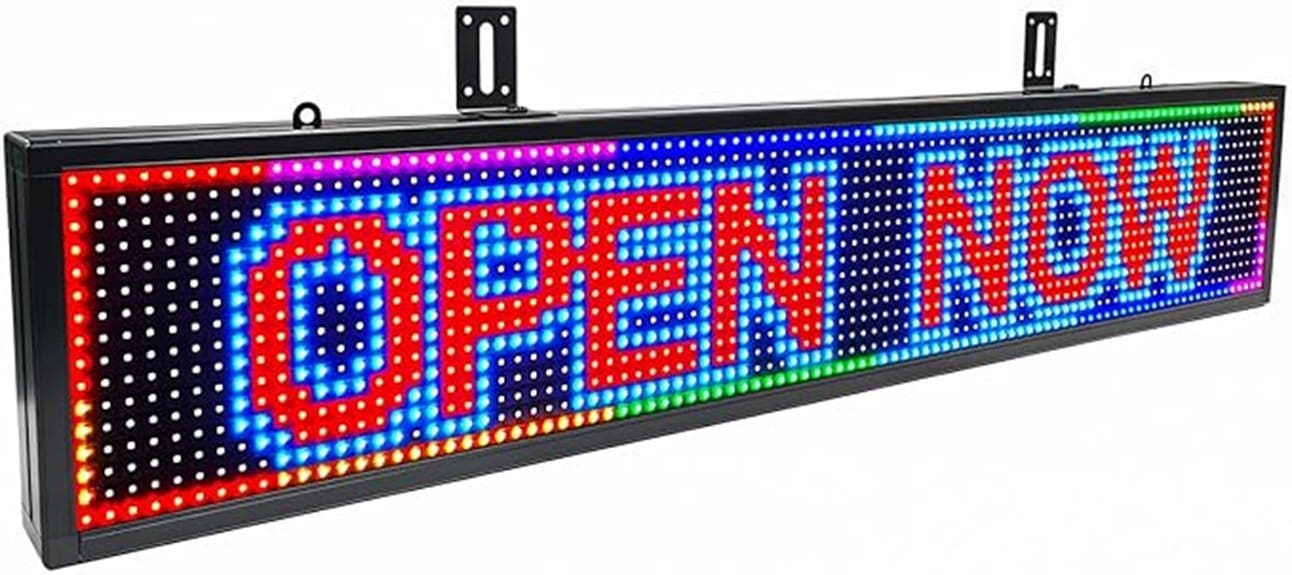
You’ll find the 39″ 10mm RGB panel solidly built with a matte‑black aluminum frame, spare parts, and mounting hardware, and it’s designed for heat dissipation and indoor/outdoor use with weather shields. You’ll join the RHX‑Wi‑Fi, create scheduled programs in the app, and test brightness, color fidelity, scroll smoothness, and memory restore after power loss. Typical wireless range is ~30 ft; troubleshoot captive portals. Keep going and you’ll get practical deployment, performance metrics, and buying guidance.
Some Key Takeaways
- Check Wi‑Fi setup: join the RHX- network, install the app, and confirm SSID/signal strength within ~30 feet.
- Evaluate performance: test scrolling smoothness, luminance at settings, color accuracy, and monitor for stutter or frame drops.
- Verify reliability: confirm program memory restores after power loss and that scheduled programs run correctly.
- Inspect hardware: matte‑black 39″ aluminum frame, spare screws/cables, hanging and wall mounts, and weather‑shield compatibility.
- Consider support and value: compare price, included accessories, 2‑year warranty, firmware updates, and optional extended warranty.
Hands-On Review: Design, Build, and What’s in the Box
Unbox the display and you’ll immediately see a compact, utilitarian build: the 39″ x 8″ LED panel uses 10mm pixel pitch RGB modules housed in a matte-black aluminum frame, with mounting points for the included hanging and wall-mount accessories. You’ll note deliberate material choices—aluminum for heat dissipation and UV-resistant PCB coatings—supporting indoor/outdoor durability. The box lists two hanging and two wall-mounting accessories, spare screws, backup signal cables, manual and USB guide. In testing you verify fitment, inspect mounting hardware threads, and confirm the panel’s weight distribution. It feels engineered for quick installation and iterative content experimentation. The product is designed to work seamlessly with weather shields to protect messages from the elements.
Setup and Wi‑Fi Control: Connect, Create Programs, and Remote Range
After confirming fitment and hardware integrity, you’ll move on to network setup and program creation. You join the RHX- network, install the app, and follow prompts to register the display. Create programs with text, speed, and brightness controls, save to built-in memory, and test automatic resume after power loss. Use Remote scheduling to queue promotions and time-based rotations. If connection fails, consult Wi‑Fi troubleshooting: confirm SSID, signal strength within the ~30-foot wireless range, and disable captive portals. You’ll iterate program edits from phone or PC, verifying responsiveness and reliable local control before deployment. For long-term reliability, consider routine maintenance and firmware updates to keep the display secure and compatible.
Real-World Performance: Brightness, Scrolling Quality, Effects, and Memory
When you evaluate real-world performance, focus on measurable brightness, smoothness of scrolling, richness of built-in effects, and program memory reliability under typical operating conditions. You should measure luminance at full and reduced settings, verify color accuracy across RGB gradients, and log power consumption during steady and peak effects. Test scrolling at varied speeds to detect stutter, frame drops, or latency from Wi‑Fi commands. Cycle through presets and custom programs to confirm the display’s memory restores the last active program after power loss. Document effect transitions, dithering, and heat-related dimming to guarantee consistent, innovative visual delivery. Also consider testing the sign’s resistance to weather and spray applications to ensure outdoor visibility and durability.
Use Cases and Deployment Tips for Retail, Hospitality, and Events
Because clear messaging drives foot traffic and guest engagement, plan deployments around sightlines, viewing distance, and ambient light so your 39″ x 8″ LED sign delivers readable, high-impact content for retail, hospitality, and event spaces. You’ll test placement for window displays vs. interior walls, measure readable distance given 10mm pixel pitch, and calibrate brightness for daylight or dim interiors. Use scheduled programs for timed promotions, integrate queue management cues for service lines, and validate Wi‑Fi control within the ~30‑foot range. Mounting hardware and hanging options support flexible installs; iterate content design and timing to optimize dwell time and conversion. Consider adding wind-resistant bases when installing signs in semi-exposed locations to keep your displays standing.
Should You Buy It? Pricing, Warranty, and Final Recommendation
If you need a compact, attention‑grabbing display that’s easy to program and maintain, this 39″ x 8″ 10mm RGB sign is a practical choice—especially for businesses prioritizing readable short‑range messaging and scheduled promotions. You’ll weigh cost versus capabilities: perform a price comparison against similar pixel pitch and Wi‑Fi features; factor included accessories and spare parts. The standard 2-year warranty covers component replacement, and you can request an extended warranty for longer coverage. If you require reliable indoor/outdoor short‑range messaging, predictable scheduling, and simple app control, this unit delivers strong value and pragmatic innovation. Our shop specializes in backlit letter boards and related display accessories, making it easy to find compatible mounting hardware and extras for this model backlit letter boards.
Some Questions Answered
Does the Sign Support Custom Fonts or Imported Images?
Yes — you can use custom fonts and perform image import. You’ll connect via the app, upload bitmap or PNG files, and map pixels to the 10mm grid; custom fonts are supported by importing font files or creating glyphs in the editor. Test at different brightness and speed settings to confirm legibility. You’ll also store programs to the sign’s memory for offline playback and resume after power loss.
Can Multiple Signs Be Synchronized Together?
Yes — you can synchronize multiple signs together. You’ll pair each unit to the app, assign them to a group, then deploy synchronized animations and schedule offsets. During testing you’ll verify wireless range and clock sync across devices, adjust brightness/speed for visual consistency, and confirm automatic resume after power loss. This methodical setup guarantees coordinated displays for innovative multi-sign installations with reliable, repeatable results.
Is There an API or Third-Party App Integration?
No public Cloud API exists, but you can control the sign via the Mobile App; it handles program creation, scheduling, and Wi‑Fi control. You’ll test integration by capturing app network traffic to reverse-engineer endpoints or use local LAN commands if exposed. If you need official integration, contact support for developer access or firmware options. You’ll document endpoints, auth tokens, and timing to build reliable third‑party automation.
What Is the Power Consumption in Watts During Typical Use?
Typical use draws about 24–36 watts. You’ll measure ~30 W average with moderate brightness and scrolling; peak draws hit higher briefly during bright full-color frames. For battery life planning, expect roughly 4–6 hours from a 120 Wh portable pack at typical settings. You’ll also monitor thermal management since continuous high brightness raises temperature and can shorten battery runtime; test under your schedules to refine real-world figures.
Are Replacement LED Modules or Panels Available Separately?
Yes — replacement LED modules and panels are available separately. You’ll confirm module availability with the vendor or support, who can match part numbers. When ordering, verify panel compatibility by checking pixel pitch, connector type, and mounting dimensions. You’ll receive installation guidance in the manual and video USB. Test replacements on a bench power supply before full installation to validate signal and brightness, ensuring seamless integration and minimal downtime.


